
DynamoDB GUI Clients: What Actually Works
A practical comparison of DynamoDB GUI tools, based on real AWS work. Skip the marketing and see which ones genuinely improve your workflow.
If you’re working with DynamoDB at scale, you’ve felt the pain. The AWS Console is fine for quick checks, but try debugging a production issue or building complex queries through it. Not fun.
Here’s what actually matters when choosing a DynamoDB GUI client.
The Real Problems
Let’s be honest about what sucks with the AWS Console:
- Single tab hell - Need to check two tables? Hope you enjoy the back button.
- AWS SSO auth dance - Copy-paste credentials every hour? No thanks.
- Query building - Writing complex filter expressions in a tiny text box is not my idea of productivity.
- No code generation - Manually translating your tested query to SDK code? Error-prone and time-wasting.
What Actually Matters
After years of DynamoDB development, here’s what moves the needle:
Multi-Tab Support (Not Negotiable)
If your tool doesn’t support multiple tabs, it’s not built for real work. Period. You need to:
- Compare data across tables
- Run multiple queries simultaneously
- Keep reference data open while debugging
AWS SSO That Just Works
Manual credential management is a security risk and productivity killer. Look for:
- Native SSO flow (no copy-paste)
- Automatic credential refresh
- Support for multiple AWS accounts
Query Building That Doesn’t Suck
A good query builder should:
- Show available attributes (with types)
- Validate expressions before running
- Save query history automatically
- Generate SDK code that actually works
The Tools (Ranked by Actual Usefulness)
1. Dynomate - Built for Real Work
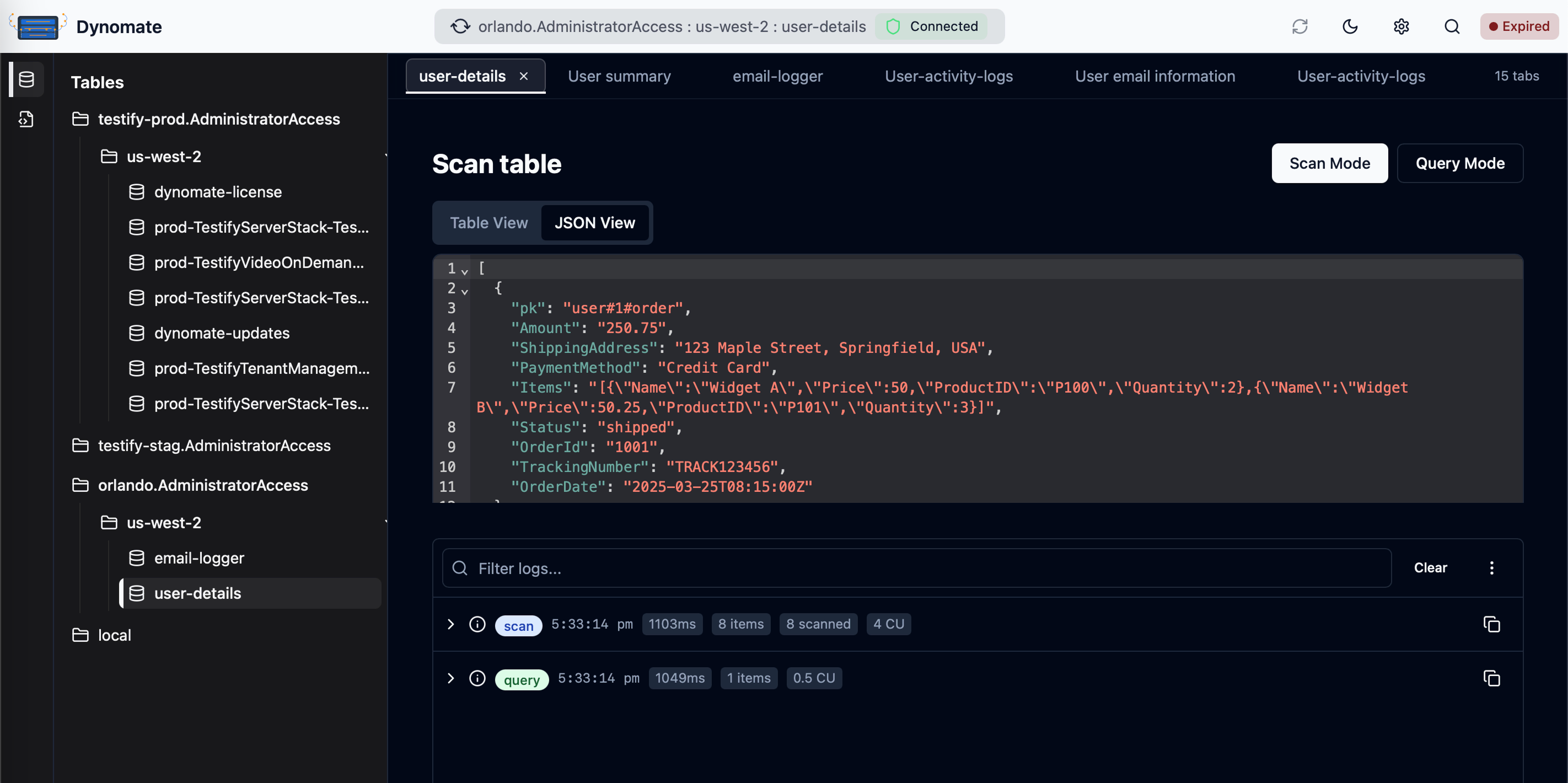
The Good:
- True multi-tab interface (finally!)
- AWS SSO that actually initiates the login flow
- Logs that keep recent AWS calls and can re-run a logged query
- Requests saved as DNML files you can run with the Dynomate CLI
- Git-friendly request collections for your team
The Reality:
- Costs $199 (one-time)
- Newer tool, but actively developed
Verdict: If you’re doing serious DynamoDB work, this pays for itself in a week.
2. NoSQL Workbench - The Free Option
AWS’s official tool. It’s… fine.
The Good:
- Free
- Good for data modeling
- Official AWS support
The Not-So-Good:
- Single tab interface
- Clunky for daily operations
- No team features
Verdict: Use it for data modeling. Look elsewhere for daily work.
3. Dynobase - The Pioneer
One of the first DynamoDB-specific tools.
The Good:
- Clean interface
- Basic import/export
The Reality:
- Limited development since 2022
- No real multi-tab support
- Monthly subscription model
Verdict: Was good for its time. Better options exist now.
4. DBeaver - The Swiss Army Knife
Universal database tool with DynamoDB support.
The Good:
- Works with everything
- Strong multi-tab support
The Not-So-Good:
- DynamoDB requires paid version
- Generic interface (not DynamoDB-optimized)
- Resource hungry
Verdict: Only if you’re already using it for other databases.
5. JetBrains Plugin - The Integrated Option
The Good:
- Lives in your IDE
- Direct code integration
The Reality:
- Limited features
- Requires JetBrains IDE
Verdict: Convenient for simple operations. Not a complete solution.
Quick Decision Framework
For Teams:
- Multiple AWS accounts? → Dynomate
- Already using DBeaver? → DBeaver Enterprise
- Budget constraints? → NoSQL Workbench + patience
For Solo Developers:
- Power user? → Dynomate
- Casual use? → NoSQL Workbench
- IDE-centric workflow? → JetBrains Plugin
What I Actually Use
After trying everything, here’s my setup:
- Dynomate for daily work (multi-tab support is non-negotiable)
- NoSQL Workbench for initial data modeling
- AWS CLI for automation scripts
The Bottom Line
Stop suffering with subpar tools. Your time is worth more than the cost of a proper DynamoDB client.
If you’re doing production DynamoDB work, you need:
- Multi-tab support
- Proper AWS SSO integration
- Saved requests you can re-run, in the app or from a script
Everything else is nice-to-have.
Pick a tool that respects your workflow, not one that fights it. For most AWS developers doing real work, that means Dynomate or DBeaver (if you’re already in that ecosystem).
What’s your DynamoDB GUI setup? Drop a comment if you’ve found something that works better.