
v2.1.0
Dynomate 2.1.0
Dynomate 2.1.0 adds Amazon Aurora DSQL. You can discover clusters, connect with IAM authentication, run SQL, and filter and edit table rows. Requests can run Aurora DSQL operations in the app and in Dynomate CLI 0.1.0.
RELEASED
Release notes
-
Feature
Aurora DSQL Clusters and Connections
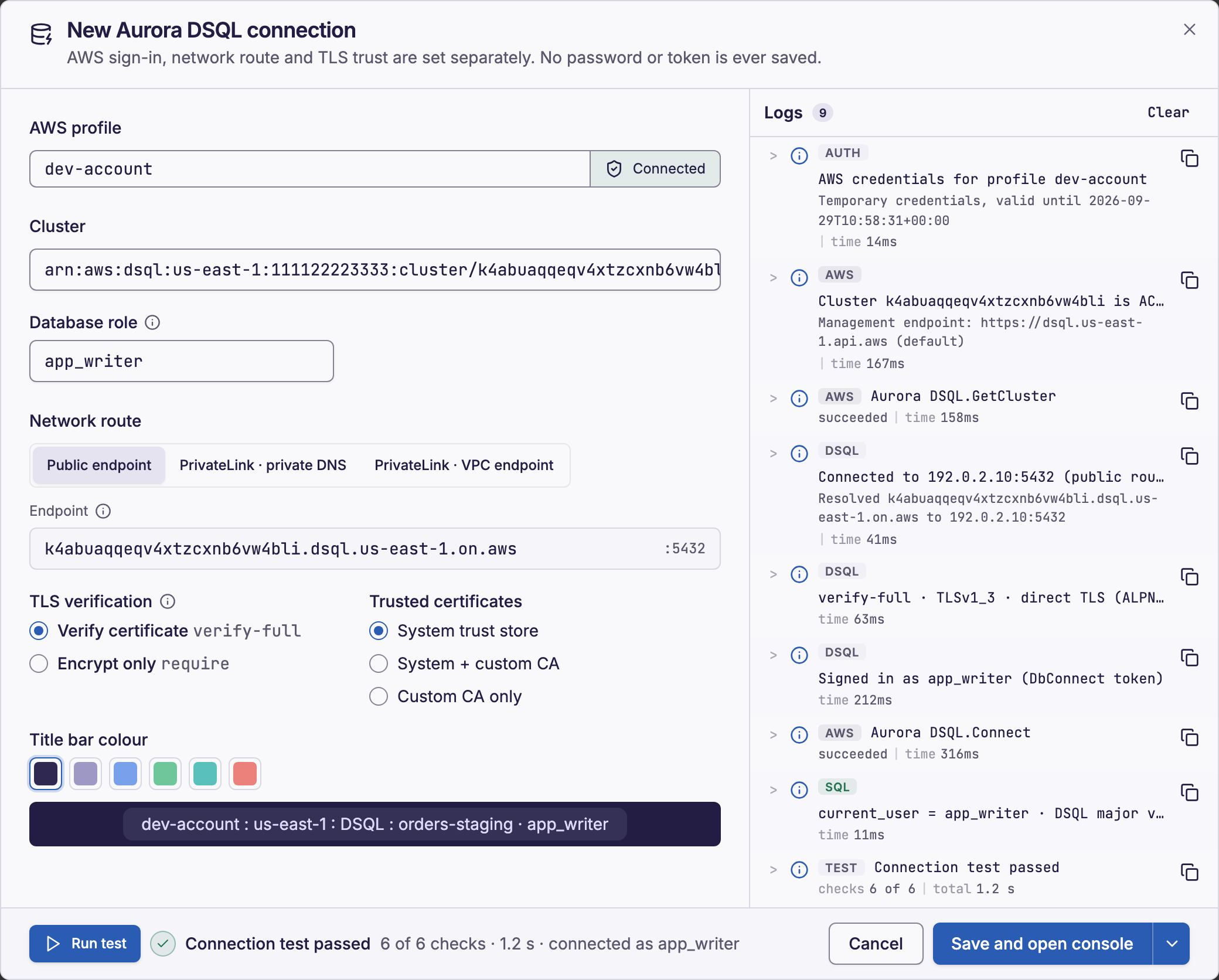
Table Discovery now also lists the Aurora DSQL clusters in the AWS Regions that you select. A connection uses an AWS profile, a cluster and a database role. Dynomate signs a new IAM authentication token each time it connects, and it never saves the token. You can connect through the public endpoint or through AWS PrivateLink.
Read Connect to an Aurora DSQL cluster and Aurora DSQL network routes and TLS.
-
Feature
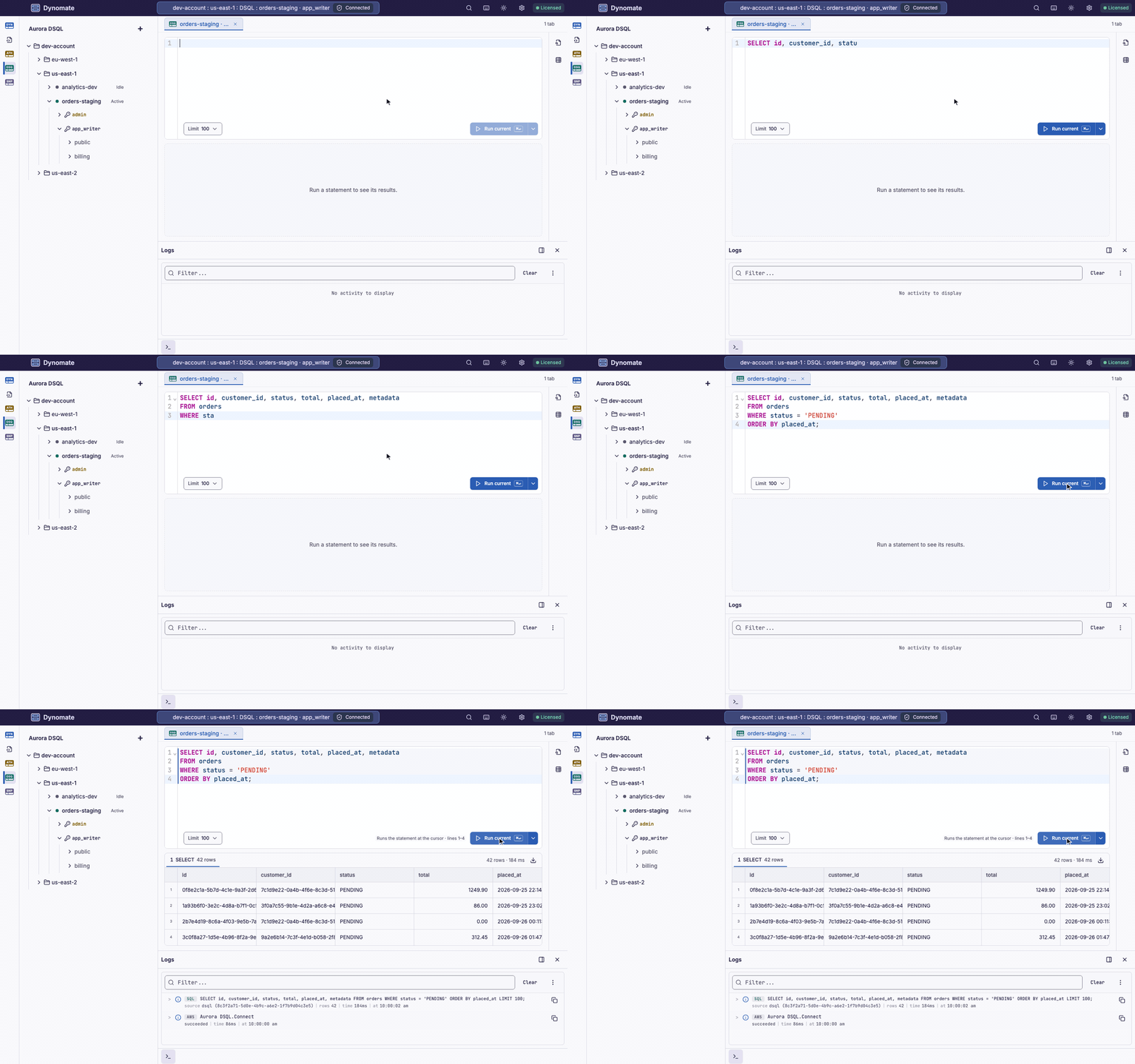
SQL Console for Aurora DSQL
The console runs one statement or a full script. Each statement that returns rows has its own result tab. When a transaction is open, the session bar shows the age of the transaction against the 5-minute limit of Aurora DSQL. Logs shows the SQL that Dynomate sent and the outcome of each statement.
-
Feature
Filter and Edit Table Rows
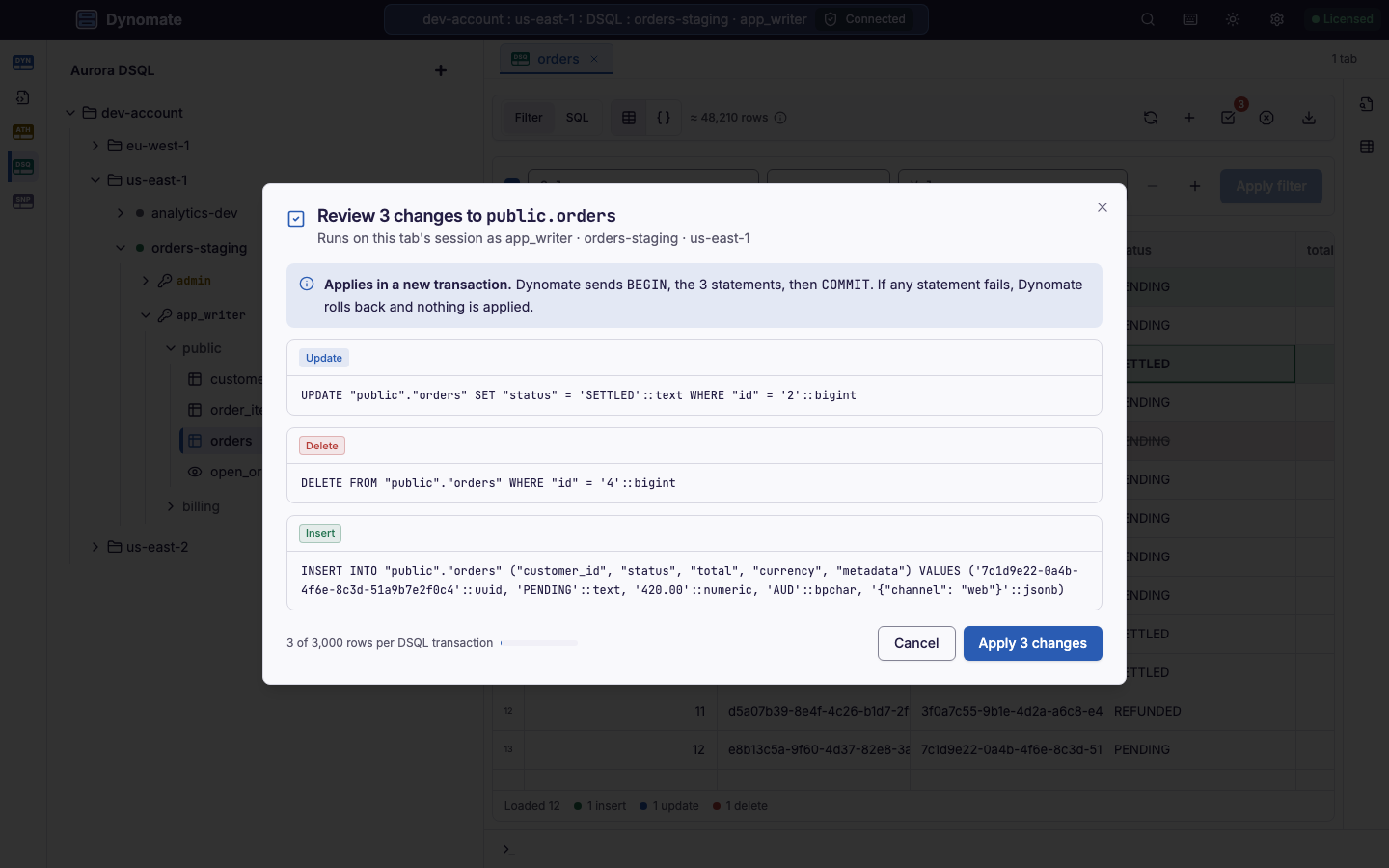
A table tab shows the rows of a table or a view. You can filter the rows, or select SQL to write the query yourself. You can also edit cells, add rows and delete rows. Review changes shows the SQL before you apply the changes.
Read View and filter Aurora DSQL tables and Edit Aurora DSQL table rows.
-
Feature
Table Schema and DDL
The Schema tool shows the columns, indexes, foreign keys and DDL of each table. Dynomate stores each table description on your computer, so you can read it offline.
-
Feature
Aurora DSQL Operations in Requests and the CLI
Requests can run SQL queries and transactions, list schemas and tables, describe a table, and wait for an asynchronous index build. You can run these requests in the app or with Dynomate CLI 0.1.0. Dynomate saves a request with an Aurora DSQL operation as DNML 1.1.
Read Aurora DSQL operations and Aurora DSQL results in the CLI.
-
Breaking
Update the CLI and the App Together
Dynomate 2.1.0 updates the app data that the CLI reads. After this update, Dynomate CLI 0.0.21 or earlier fails with
APP_DATA_SCHEMA_UNSUPPORTED, also for DynamoDB and Athena requests. When you update the app, install Dynomate CLI 0.1.0.