
Aurora DSQL schema and DDL
Dynomate loads the catalog of each Amazon Aurora DSQL connection into the sidebar. The Schema tool shows the structure and DDL of the table in focus.
Browse the catalog
The catalog of a connection is its schemas, tables and views. To load it, expand the connection in the Aurora DSQL sidebar. Then expand a schema.
- Dynomate hides the system schemas:
pg_catalog,information_schema,sys, and thepg_toastandpg_tempschemas. - Tables show first, with an estimate of their rows. Then views show.
- To open a table tab, select a table or view.
Dynomate shows the stored catalog at once. Then it loads the catalog again from the cluster, one time in each app session. If that load fails, the connection shows cached. To load the catalog again, select Refresh catalog in the connection menu.
Open the Schema tool
- Open a table tab or a console.
- In a console, put the cursor on a table name.
- Select Schema in the toolstrip.
- Select Structure or DDL.
In a console, if the cursor is not on a table name, the tool shows the first table that the statement at the cursor names.
Structure
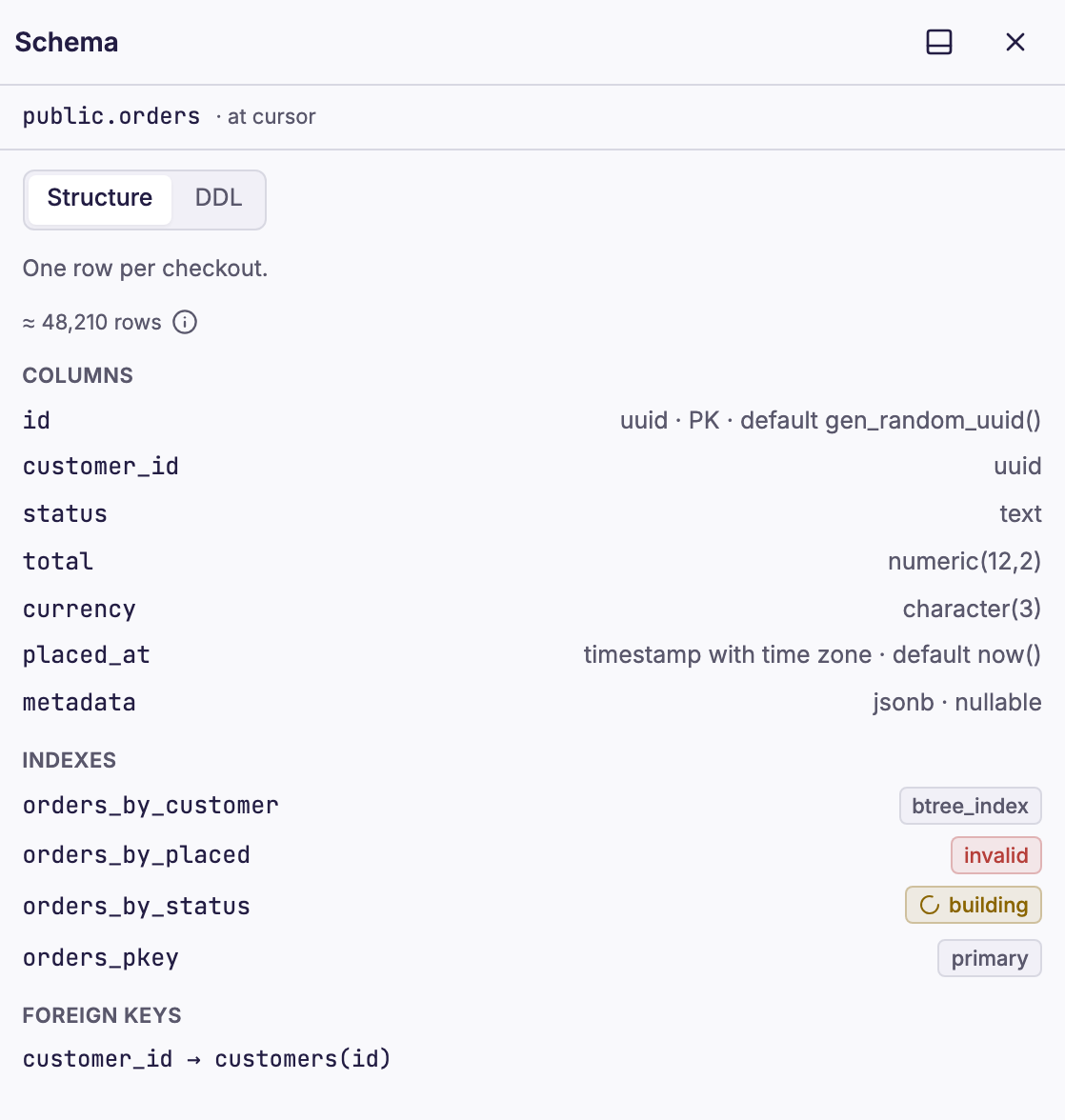
Structure shows the comment and the estimated rows of the table. Then it shows the columns, the indexes and the foreign keys. Check constraints show only in the DDL.
DDL
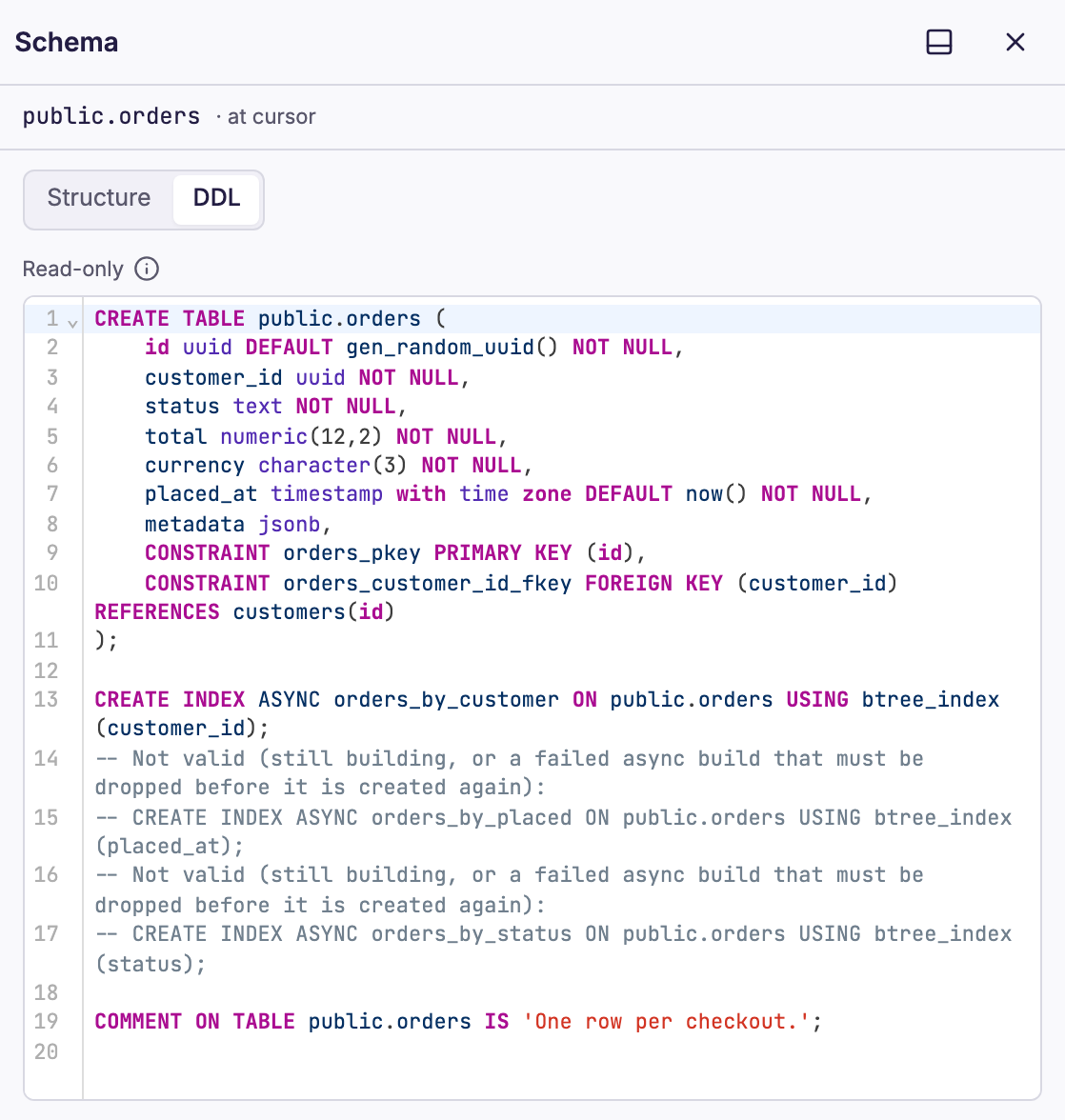
PostgreSQL cannot print the CREATE statement of a table, so Dynomate builds the DDL from the catalog. The DDL is read-only, and it is not the original text. It has CREATE TABLE with the constraints, CREATE INDEX ASYNC for the other indexes, and COMMENT ON statements.
Index states
Queries do not use an index in one of these states:
- building:
CREATE INDEX ASYNCstill runs. Wait for the job. See asynchronous index builds. - invalid: the build failed, for example because a unique index found duplicate values. Drop the index with
DROP INDEX. Then create it again.
Stored descriptions and offline use
Dynomate stores the structure and DDL of each table that it describes. The stored copy shows at once. Then Dynomate describes the table again when the Schema tool or a table tab opens. If it cannot, the header shows cached and the date of the copy.
When you are offline, the Schema tool shows the stored copy of each table that Dynomate described before. Dynomate deletes the stored copies of a connection when you change its profile, cluster or role, or delete it.