
Truncate a DynamoDB table
DestructiveTruncate scans the table for item keys and deletes the items in batches. It is a permanent data operation.
What truncate changes
- It deletes items from the selected table.
- It keeps the table and its key schema.
- It keeps indexes and table configuration.
- It does not create a backup or rollback point.
To delete only matching items or add a guard, use a DNML truncate operation.
Before you truncate
- Confirm the AWS profile, Region, and table name.
- Export or back up data that you must keep.
- Stop application writes when you need a predictable empty-table result.
- Confirm that no import job is active on the table.
- Review read and write capacity before you start.
Starting truncate clears staged item changes in the active table tab.
Start the job
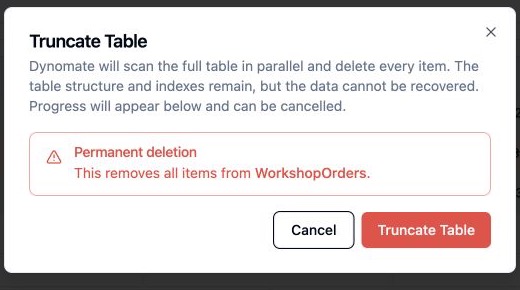
- Select Truncate Table in the table action bar.
- Read the confirmation message.
- Confirm the exact table.
- Start the truncate job.
Monitor or cancel
The table view shows the job state, scanned item count, deleted item count, estimated progress, and estimated time when available.
Concurrent writes
Truncate does not lock the table and does not read from a fixed snapshot. An application can write items while the job runs. A concurrent item can survive or be deleted, based on when the scan reaches its key.
Stop producers before truncate when the table must be empty at completion. Verify the table after the job finishes, then restart the producers.
Dynomate blocks an import and a truncate job from running at the same time on the same table. It also blocks another active truncate job for that table.
Capacity and cost
Truncate uses a parallel full table scan and batch deletes. The scan consumes read capacity. The deletes consume write capacity. Both operations can incur cost and can throttle application traffic.
- Run truncate during a low-traffic period.
- Monitor consumed read and write capacity.
- Monitor throttled requests.
- Plan for a longer job on a large or heavily throttled table.
AWS permissions
dynamodb:DescribeTableto read the schema and table estimates.dynamodb:Scanto read item keys.dynamodb:BatchWriteItemto delete items.